
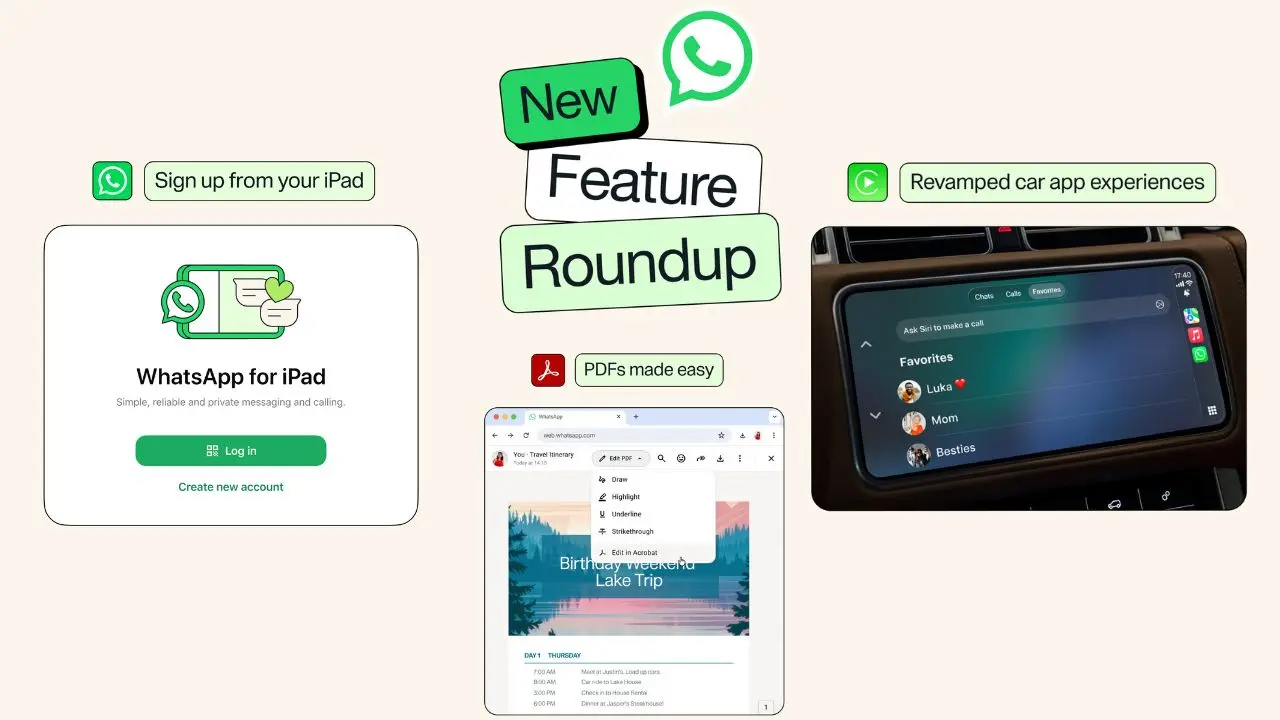
WhatsApp just rolled out four new updates, and each one fixes something people have complained about for a while. You can now sign up on iPad without touching a phone. Your car screen for WhatsApp got rebuilt from the ground up. PDFs open and can be marked up right inside a chat, with no download needed. And you can now drop a song onto your Status straight from Spotify or Apple Music.
There’s no hidden setting to turn on. WhatsApp confirmed the rollout in its blog post, so keep the app updated and you should see it soon.
What’s new in this update
Here is a quick look at what changed.
- Sign up for WhatsApp on iPad, with no phone needed
- A full redesign for CarPlay and Android Auto
- PDFs that open and can be marked up right in chat
- Song sharing to your Status from Spotify or Apple Music
Let’s walk through each one.
You can now sign up on iPad without a phone
In the past, iPad users had to link their account to a phone first. That step held people back. So WhatsApp removed it.
Now you just open the app on your iPad. Then you enter a phone number and finish setup right there. There is no linking step and no second device to grab.
This means your iPad can act as your main WhatsApp device. It no longer has to sit behind your phone. So if your iPad is your main screen, WhatsApp now fits that life too.
This helps families who share one iPad. It also helps anyone who treats a tablet as their main computer. Because of this change, they can chat and join groups without borrowing a phone.
Setup still only takes a minute or two. You confirm your number with a code, choose a profile photo, and you’re ready to chat. So the whole process feels just as quick as setting up WhatsApp on a phone.
Your car screen looks and works differently now
CarPlay and Android Auto both got a full makeover. The old screen felt cramped. It was also hard to use while driving. So WhatsApp rebuilt it from the ground up.
With the new design, you can do a few things easily:
- Hear your messages read out loud
- Reply using just your voice
- Make and take calls from the car screen
- Check your recent call history
- Reach your favorite contacts in one tap
Safety comes first here. After all, a simple screen means less time spent looking away from the road. So whether you’re stuck in traffic or driving across town, staying in touch now takes less effort.
Bigger buttons and clearer text also help at a glance. This matters most on a bumpy road or in bright sunlight, when a busy screen becomes hard to read.
PDFs now open right inside your chats
This update solves a real headache. Before, opening a PDF meant a download. Then you had to find another app just to view it. That felt slow, especially at work.
Now, PDFs open right inside the chat window. This works on web and desktop. Once a file opens, you can highlight lines and add notes without leaving the app. Adobe Acrobat powers this feature, so the tools feel familiar if you’ve used Acrobat before.
Because it all happens in one place, checking a contract or a form takes less time. You skip the download. You skip the app switch. You just read and mark it up right away.
Think about a school permission slip or a rental agreement sent by a friend. Instead of hunting for a reader app, you open it, mark the parts that matter, and send it right back.
Share your favorite songs on your Status
Music says a lot about a mood or a moment. That’s likely why WhatsApp built a simple way to share songs on Status. You can now send a track from Spotify or Apple Music. It shows up right on your Status for friends to see.
The steps are simple. Open a song in either music app. Tap share, then pick WhatsApp Status. Friends who view your Status can tap the song and hear it too. So your Status becomes more than just text or photos. It becomes a small window into your day.
Say you just found a new favorite song on a drive home. Instead of describing it in a message, you can just post it and let your friends press play.
Why this update actually matters
None of these changes look huge on their own. Still, put together, they tell a clear story. WhatsApp keeps growing past plain texting. It wants to work well wherever you already spend your time, whether that’s a tablet, a car, a laptop, or a music app.
This fits a pattern from WhatsApp this year. The app already added usernames. Now people can chat without sharing a phone number. It also launched a premium plan. It updated its look on iPad and Mac. And it let business accounts run on more than one device. Each update points to the same goal. Fewer limits. More freedom. Less friction in your day.
When will these features reach your phone?
WhatsApp is rolling this out slowly. So not everyone will see every feature right away. If something has not shown up yet, keep your app updated. Give it a little time. Based on past rollouts, a wider release should follow soon.
To check, open the App Store or Google Play and look for a WhatsApp update. On iPad, make sure you have the latest version before you try signing up without a phone. For CarPlay or Android Auto, your phone’s WhatsApp app needs to be current too, since that’s what powers the car screen.
The bottom line
WhatsApp is no longer just an app on your phone that happens to work elsewhere. Between iPad signup, a smoother car experience, PDF tools in chat, and music sharing on Status, this update helps the app fit more naturally into daily life. If you use any of these often, it’s worth checking your app today. That way, you won’t miss what’s new.