
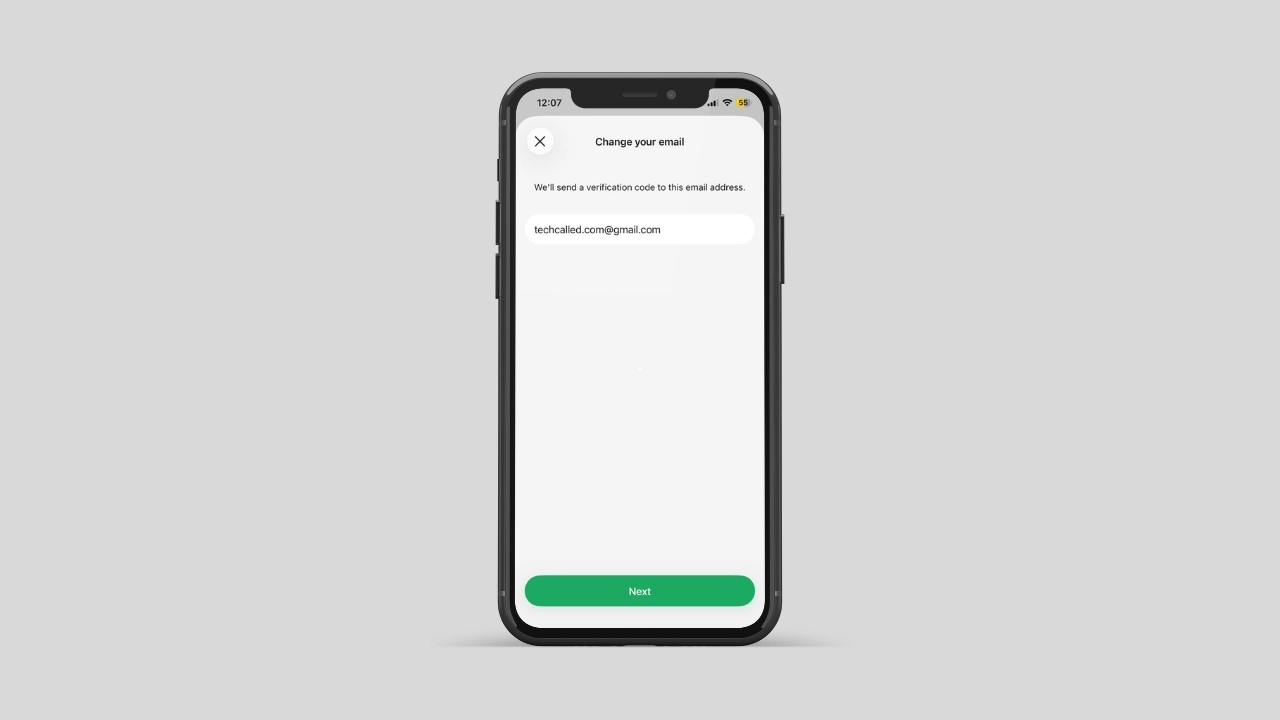
Haven’t you added your email to WhatsApp yet? If not, you could lose your WhatsApp account.
Recently, WhatsApp added a new feature in which you can add your email to WhatsApp for security and recovery. Whenever you don’t receive the 6-digit code via phone number for verification, you can use email to get the code.
Here is the short version. Go to Settings, then Account, then Email Address. Add your email, enter the code WhatsApp sends you, and you are protected. The rest of this post explains why that small step is worth your time.
Important things: Why you should add your email
WhatsApp built this option for one main reason: recovery. Here is what it actually does for you.
- Backup access. If you lose your SIM card, WhatsApp can email you the steps to get back in.
- Security alerts. WhatsApp can reach you by email if something odd happens on your account.
- Faster recovery. You skip the wait for an SMS. You can get a code by email.
So in short, your email becomes a second way into your account. And that way stays open even if your phone number changes hands.
How to Add Your Email Address to WhatsApp
Adding an email takes less than a minute. Here is how to do it.
- Open WhatsApp and tap Settings.
- Go to Account, then tap Email Address.
- Type in your email address.
- WhatsApp sends a short code to that inbox.
- Enter the code, and you are done.
Once verified, your email sits quietly in the background. You will not see it again. Not unless you need it, or want to update it later.
You Can Add It During Sign-Up Too
If you are setting up WhatsApp for the first time, the app also asks for an email. This happens during sign-up. This step is optional. But it is worth doing right away. That way, you skip an extra step later. And your account stays protected from day one.
A lot of users hesitate here, since they worry about spam. But WhatsApp only uses this email for account recovery and safety alerts. It does not add you to a mailing list. And it does not show your email to other users or contacts. So your inbox stays exactly as quiet as it was before.
Pair It With Two-Step Verification
Email backup works even better next to another WhatsApp tool: Two-Step Verification. This feature adds a PIN code on top of your phone number, so if someone tries to use your number on a new phone, they’ll need that PIN too. WhatsApp made a recent security upgrade to this exact feature, so it’s a good time to turn it on if you haven’t already. Head to Settings, then Account, then Two-Step Verification. Together, your email and your PIN give your account two solid layers of defense.
What to Do If the Code Does Not Arrive
Sometimes the code does not arrive right away. This usually comes down to your connection, not your account. Here is what tends to fix it.
- Check your internet first. A weak signal is the most common reason a code never arrives.
- Switch networks if needed. Try mobile data if you are on Wi-Fi. Try Wi-Fi if you are on mobile data.
- Look at your DNS settings too. Some custom DNS setups quietly block WhatsApp services. So switch to your carrier’s default DNS. Or try a public option like Google or Cloudflare.
If none of that works, wait a few minutes. Then try again. Servers slow down sometimes, so a short pause often clears things up.
You Can Change or Remove It Anytime
Your email address is not locked in place. You can change it whenever you like. Just head back to Settings, then Account, then Email Address. From there, you can edit it or remove it completely. Nothing here is permanent. So feel free to update it. Do this if you switch email accounts later on.
Why This Small Step Is Worth It
This update matters even more for a few groups. Business accounts often share one number across a whole team. Frequent travelers swap SIM cards often. And older phones sometimes struggle to receive a text code at all. If any of that sounds like you, adding an email moves from nice-to-have to essential.
WhatsApp has quietly added more recovery options over the past year or so. Linked devices, backup codes, and now email address recovery all point the same direction. The app wants fewer people locked out for good. And an email address is the simplest piece of that puzzle to set up.
Losing access to a WhatsApp account happens more often than people think. Phone numbers get recycled. SIM cards get lost. And sometimes a new phone simply will not accept the old number. When that happens, an email address is often the only way back in.
Meanwhile, this feature adds a quiet layer of safety too. If WhatsApp spots something unusual on your account, it can reach you by email. That works even outside the app itself. That is a real plus. You might not notice a problem otherwise. Not until it is too late.
Plus, the whole process barely takes any time at all. You already have an email address sitting on your phone. Linking it costs you nothing. Yet it could save you hours of frustration later on. That is true if you travel, switch carriers, or drop your phone in water.
This kind of update rarely makes headlines. It does not come with a new chat feature or a new icon. But small changes like this one often matter more than the big ones. They quietly protect something you already rely on every single day.
Bottom Line
Take two minutes today. Check whether your account has an email added. If it does not, open your settings and add one now. It is a small task. But it carries real weight on the day you need it most.
Once it is set up, you can mostly forget about it. That is the whole point. It sits quietly in the background, ready to help only when you actually need it.