
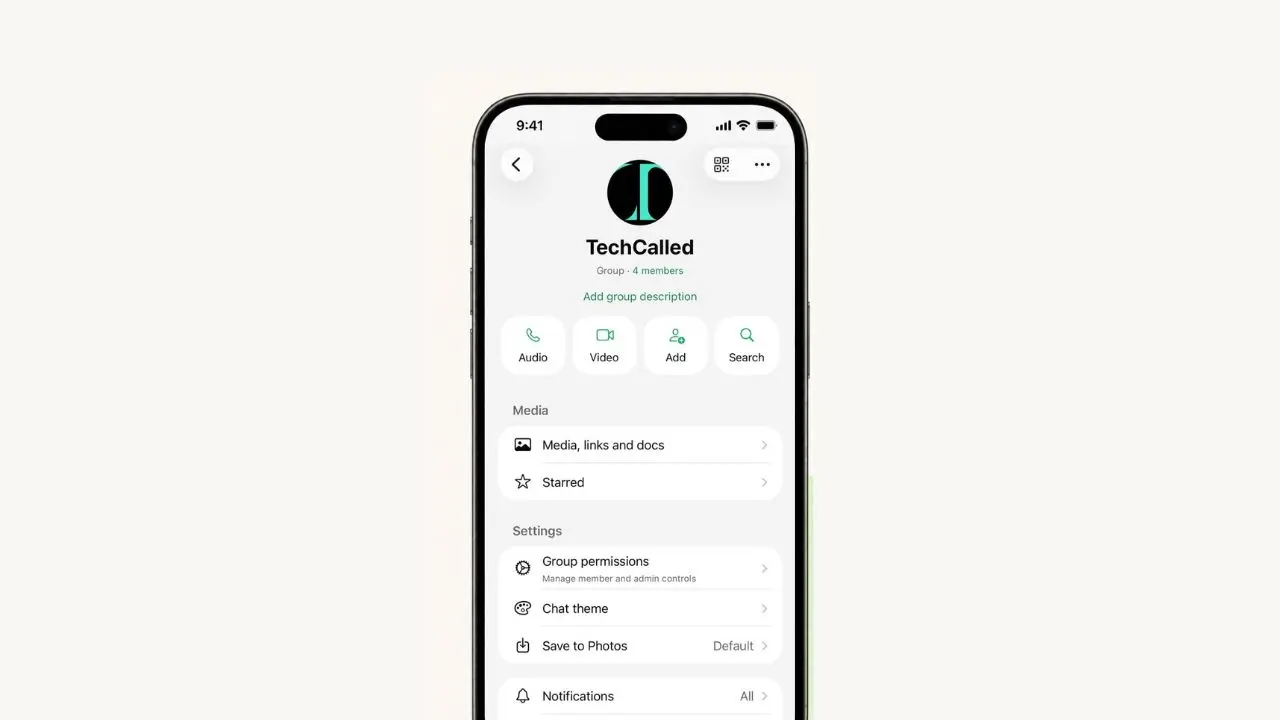
WhatsApp is testing a new feature that lets you send old group messages to a new member the moment they join. This means new people don’t have to feel lost in a chat full of history they never saw. Instead, they get caught up fast, right from the start.
This feature is called message history. It’s still rolling out, so not everyone has it yet. If you don’t see it on your phone, don’t worry. Just keep your WhatsApp app updated, and it should show up soon.
Why This Feature Matters
Group chats move fast. New members often join late and miss weeks of chat. Because of this, they end up asking the same question over and over. What did I miss? Message history solves that problem in one simple step.
So, instead of scrolling back through nothing, new members can read the messages that matter most. This makes the group feel more friendly. Plus, it saves everyone time too.
Think about a family group or a work team. New people join those chats all the time. Without any context, they often stay quiet at first. With message history, they can jump right into the chat with real confidence.
What Is Message History?
Message history is a simple option inside WhatsApp groups. When you add someone new, you can choose to send them past messages along with the invite. As a result, they get the full picture right away. They don’t have to ask anyone to explain things.
It’s a small change. But it fixes an issue many of us know well. New members often feel out of the loop, and WhatsApp lays out the full details on its official help page. This feature closes that gap in just a few taps.
Who Can Send It
Not just anyone can add members and share history. Here’s who has that option:
- Group admins can always add members and send message history
- Regular members can do it too, but only if admins allow it
So, if you don’t see this option, your group admin may have turned it off.
What You Can Send
Once you turn this feature on, you get two choices:
- All pinned messages in the group
- Up to 100 of the most recent messages
Therefore, you get to pick how much history to share. Once you send it, the new member gets an alert right away. Meanwhile, everyone else in the group sees a small note. That note simply says history was shared. This keeps things clear for the whole group.
What Gets Left Out
Not every message can be shared this way. A few things always stay out:
- Messages that disappeared under disappearing messages
- Live location updates
- View once messages
- Payment and business messages
These are left out for privacy reasons. WhatsApp has been rolling out other business-focused updates too, including a new paid partnership label for channels. Even so, your personal group chats stay separate from all of that.
How to Send Message History
Adding someone with their message history takes just a few steps. Here’s how it works:
- Open the group chat, then tap the group name.
- Tap Add.
- Search for the contact or phone number you want to add.
- Turn on Message history.
- Pick how many recent messages to send.
- Tap Add members.
- Tap Continue.
Once you finish these steps, the new member joins the group. They also get the history you picked for them.
Admins Can Turn It Off
Group admins still hold full control here. If an admin doesn’t want this feature active, they can turn it off. Once it’s off, members won’t even see the option when they add someone new.
To change this setting, admins can open Group info. Then, they tap Group settings. From there, they can switch Send message history on or off at any time.
Is Message History Safe?
Even though this feature shares past chats, your privacy stays safe. All shared messages stay end-to-end encrypted. In other words, no outsider can read them. Not even WhatsApp can read them.
However, there’s one rule worth knowing. If someone reports content shared through message history, the sender of that history gets reported. The original sender of the message does not. So, it pays to think twice before sharing old chats with someone you barely know.
A Few Limits to Know
Like most new features, this one comes with limits. For instance, message history can’t be sent to members who join through a group link or a QR code. Also, it only works on Android and iOS phones right now. That means WhatsApp Web, Windows, and Mac users can’t use it yet.
Because of these limits, not everyone gets the same experience. Still, WhatsApp may grow this feature further once testing wraps up.
When Will Everyone Get This Feature?
There’s no fixed date yet. WhatsApp often tests new tools with a small group of users first. Then, it slowly expands access over time. So, if the option isn’t on your phone today, it may still arrive in the coming weeks or months.
The Bigger Picture
Onboarding new people into a group chat has always been a bit awkward. Most apps just drop the new member into an empty screen. From there, they’re on their own. WhatsApp’s new tool tries to fix that gap in a simple way.
WhatsApp keeps testing small changes like this across the app. For instance, some users can already reserve a WhatsApp username before it rolls out everywhere. That pattern shows how new features often arrive quietly, one step at a time.
Final Thoughts
Overall, this update fixes a common problem in group chats. New members no longer feel lost or left out. Instead, they get the full picture the moment they join. That alone can make busy group chats feel far more welcoming.
That said, this feature is still being tested. So, it may take a while before it reaches your phone. Until then, keeping your app updated is the easiest way to get it early.
Small updates like this one might seem minor at first. But in daily use, they often end up making the biggest difference.