
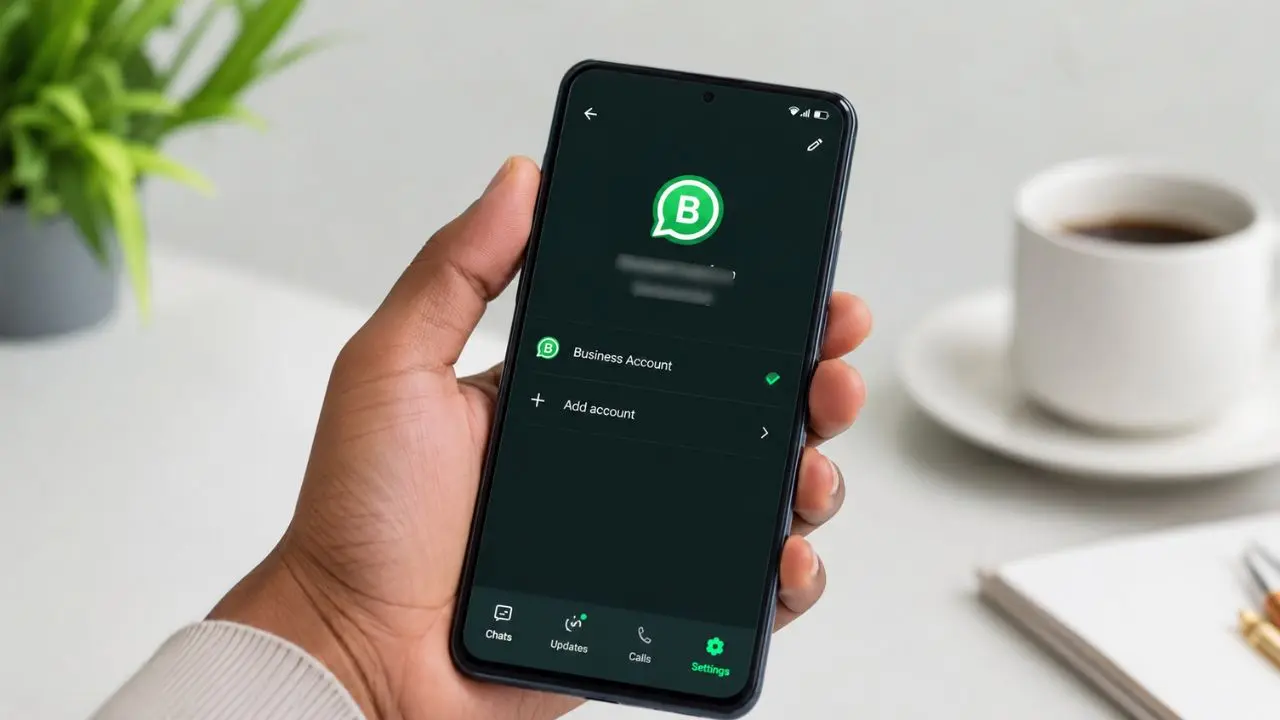
WhatsApp Business is testing a new feature. It lets you run two business accounts on one Android phone. The update appeared in beta version 2.24.27.5 on the Google Play Store. Because of this, you no longer need a second phone for a second number. You also won’t need to install a second app just to get by.
What’s New at a Glance
- WhatsApp Business now supports two accounts on one device
- The feature is live in beta version 2.24.27.5
- You do not need a second phone or a second app
- The rollout is slow, so not everyone has it yet
- The limit is two accounts per device, at least for now
Why Business Users Had to Wait
WhatsApp Messenger got multi-account support back in 2023. Since then, users could add two personal numbers on one phone. They did not need to install anything extra. WhatsApp Business, though, stayed behind. Business owners with two numbers had one real option. They had to install a second app just to get a workaround. Many did not even want a business app. They just needed a spare number. That setup wasted storage and made switching a chore. Now, WhatsApp is fixing that gap. The company wants both apps to match. WhatsApp has had a busy few months on Android, from this update to early tablet support as well.
How to Check If You Have the Feature
Not every user will see this option yet. WhatsApp is rolling it out in stages. Here is how to check your phone:
- Open WhatsApp Business
- Tap the menu button, then tap Settings
- Look at your account name at the top
- If you see a small “+” icon next to your name, the feature is live
If you don’t see that icon, don’t worry. The update simply has not reached your device yet. It should show up soon, as long as you keep the app updated.
How to Set Up a Second Account
Once you spot the “+” icon, setup is quick. The steps look just like your first setup:
- Tap the “+” icon next to your name
- Choose to add another account
- Enter your second business number
- Confirm it with the code WhatsApp sends you
After that, both accounts sit inside the same app. You will not need a second phone. You will not need a second app either. While you’re setting things up, it’s worth taking a minute to reserve a username too, so people can find you without your number.
Switching Between Two Accounts
Once both accounts are set up, switching is easy. Open the Chats tab. Tap the menu, then tap Switch Accounts. Your other account keeps running in the background. So, you can still see new activity on it. Still, you have to switch accounts manually before you can read and reply. One limit to know: WhatsApp Business only supports two accounts right now. So, if you run three or more numbers, this update will not fully solve that yet.
Tips for Managing Two Accounts Smoothly
Running two accounts on one phone takes a little practice at first. These tips can help:
- Give each account a clear name, so you always know which one is active
- Check both accounts each morning, since one runs quietly in the background
- Tell your team which number handles which task, to avoid mixed-up replies
- Keep notifications on for both accounts, so you never miss a message
A little organization goes a long way here. It keeps things smooth for you and for your customers on both numbers.
Why This Helps Small Businesses
Many businesses use more than one phone number. A shop might use one number for sales. It might use another number for support. A company with two brands might split them too. Before this update, that meant carrying two phones. Or it meant using messy workarounds that were never built for the job. Now, one phone can handle both numbers cleanly. That is a real win for small teams. They save money on extra hardware. They also save time switching between devices, since everything sits in one app.
When the Full Rollout Might Happen
Right now, this feature is only reaching beta testers. WhatsApp tends to roll out big changes slowly. It tests them with a small group first, then expands from there. So, if you update your app today and still see nothing, that is normal. The feature should reach more users over the coming weeks. WhatsApp has not shared a date for the full release yet. Android users have seen this pattern before, most recently with passkey linking, so a slow rollout here isn’t surprising.
Pricing: What We Know So Far
So far, WhatsApp has not mentioned any extra charge for this feature. It looks like a normal part of the app update, not a paid add-on. That fits how WhatsApp usually handles new features. Most updates roll out to everyone at no added cost, once testing wraps up. Of course, this could change once the feature leaves beta. For now, though, there is no sign of a fee attached to it.
How to Get the Beta Update
If you want to try this feature early, a few steps can help. First, head to the WhatsApp Business listing on the Google Play Store. Next, check if a beta program option appears on the app page. Joining that program can move you closer to the front of the line. After that, keep the app updated, since WhatsApp adds testers in small groups. Even after joining, the “+” icon might take a little time to show up. Patience helps here, since the rollout depends on your region and your account.
Final Words
This update looks small, but it solves a real problem. Running two numbers used to mean extra cost. It also meant extra hassle. Now, that hassle is fading, one update at a time. WhatsApp keeps closing the gap between its two apps. So, users on both sides should see fewer differences like this going forward.