
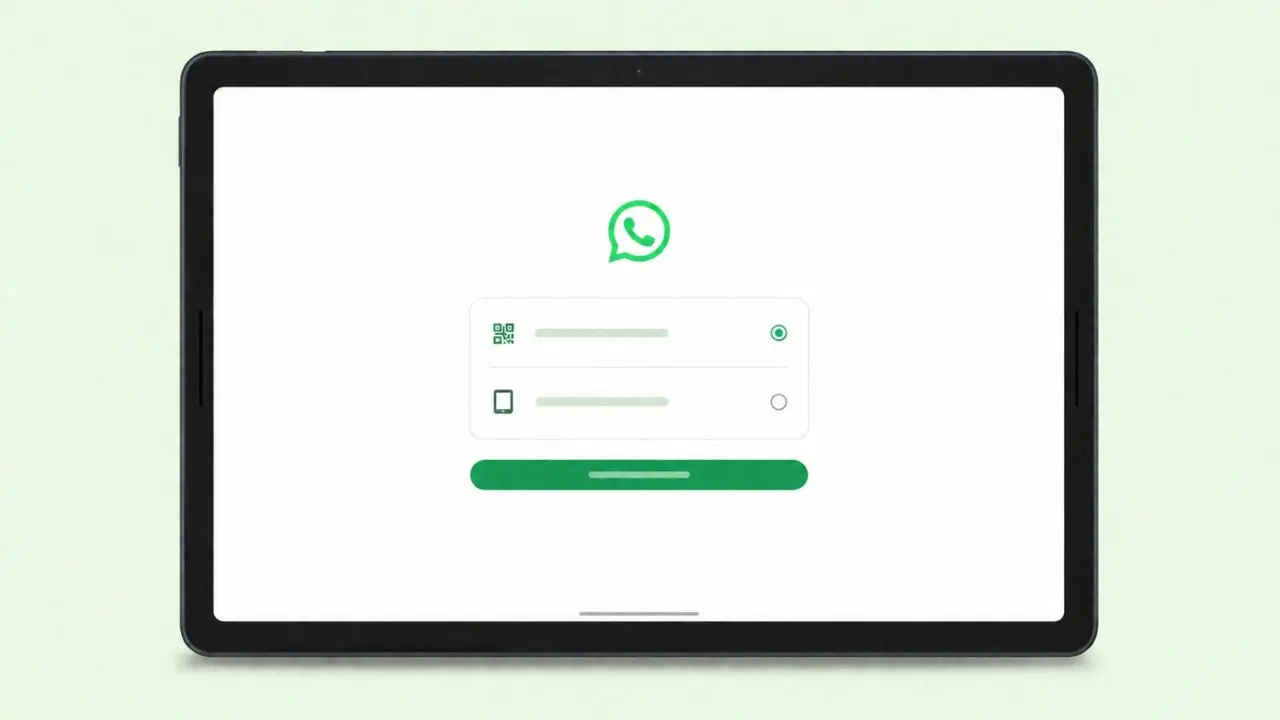
WhatsApp is testing a new setup screen for Android tablets. It shows up the first time you open the app on a tablet. The screen asks a simple question. Do you want to link this tablet to your phone? Or do you want to make it your main device? This sounds small. But it makes life easier for anyone who owns a tablet.
Right now, only some beta testers can see this screen. It comes through an update on the Google Play Store. So if you don’t see it yet, don’t worry. It may show up soon.
What The New Screen Actually Shows
The screen is called “Choose an option.” Once it pops up, you get two paths to pick from.
- Link your tablet to your phone. Your phone stays the main device, and the tablet acts as a helper.
- Transfer your account to the tablet. This makes the tablet your new main device, while your phone steps back.
Before this update, only the first choice was easy to find. The second one existed too, but it was buried deep in the settings menu. Now, both options sit right on the same screen. As a result, tablet owners no longer need to hunt around for the right setting.
How To Move Your Account To Your Tablet
If you tap “Transfer your account,” WhatsApp walks you through a few quick steps. First, you enter your country code and phone number. Then, WhatsApp sends a six digit code to check that it is really you. Once you type in that code, your tablet takes over as the main device.
The whole thing takes about a minute. Also, you do not need to touch your phone at any point. After that, you can pull your old chats back from a Google Drive backup, just like you would on a brand new phone.
What Happens To Your Old Phone
Once your tablet becomes the main device, your phone loses that role. WhatsApp only allows one main device per account at a time. So your phone gets logged out on its own.
That said, it is not gone for good. You can link it back as a helper device by scanning a QR code on the tablet. And if you change your mind later, you can move your account back to the phone whenever you want.
Why Make Your Tablet The Main Device
When your tablet only works as a linked device, it runs into a few limits. Here is what you lose out on:
- You cannot share your live location.
- You cannot send messages to a broadcast list.
- If your phone sits unused for 14 days in a row, WhatsApp logs your tablet out too.
However, none of these limits apply once the tablet becomes your main device. Instead, you get the full app, the same as anyone using WhatsApp on a phone. Nothing is locked, and nothing is held back.
iPad Owners Already Have This Option
This is not the first time WhatsApp rolled out this kind of feature. iPad users already got a similar setup screen a while back. The wording is a little different, but the idea stays the same.
So in a way, WhatsApp is simply bringing Android tablets up to speed with what iPad already offers.
Who Might Find This Useful
Picture a common situation. Your phone breaks, and you decide to wait a while before buying a new one. Maybe you are holding out for a new release. Without a working phone, your tablet’s linked mode would normally stop working after 14 days. As a result, you would lose WhatsApp access on the tablet too.
This is exactly the kind of problem the new setup screen solves. Once your tablet becomes the main device, it keeps working on its own. You do not need a phone nearby at all, and that can be a real relief during a stressful stretch.
Linking Mode Still Works The Same Way
If you would rather keep things as they are, that is fine too. The regular “Log into WhatsApp” option still sits right there on the setup screen, and linking a device works just like it always has.
In short, nothing about how linking works has changed. WhatsApp only added a cleaner way to choose between the two setups.
When Will Everyone Get This Feature
For now, this new screen is only reaching Android beta testers. It is not the only thing in testing, either — WhatsApp is also letting some people reserve a username ahead of time. Neither feature has a confirmed release date yet.
Common Questions About This Update
Can an Android tablet be the main WhatsApp device?
Yes. Once you transfer your account to the tablet, it works as the main device, with no limits attached.
Do I lose my chat history when I switch?
No. You can restore your chats from a Google Drive backup right after the transfer.
Will my phone stop working on WhatsApp?
Yes, at first. Your phone gets logged out once the tablet takes over. But you can link it back as a helper device anytime.
Is this feature available to everyone yet?
Not yet. It is still limited to Android beta testers, though it may expand soon.
Quick Recap
- WhatsApp is testing a new setup screen for Android tablets.
- The screen lets you choose between linking your tablet or making it your main device.
- Transferring your account takes about a minute and needs a six digit code.
- Your old phone gets logged out automatically, but you can link it back anytime.
- A tablet set up as the main device has no limits, unlike a linked tablet.
- iPad users already have a similar option.
- The feature is currently in beta testing for Android users only.
This update is small, but it fixes a real headache for tablet owners. Once your tablet becomes the main device, you get the full WhatsApp experience, without needing your phone anywhere close by.