
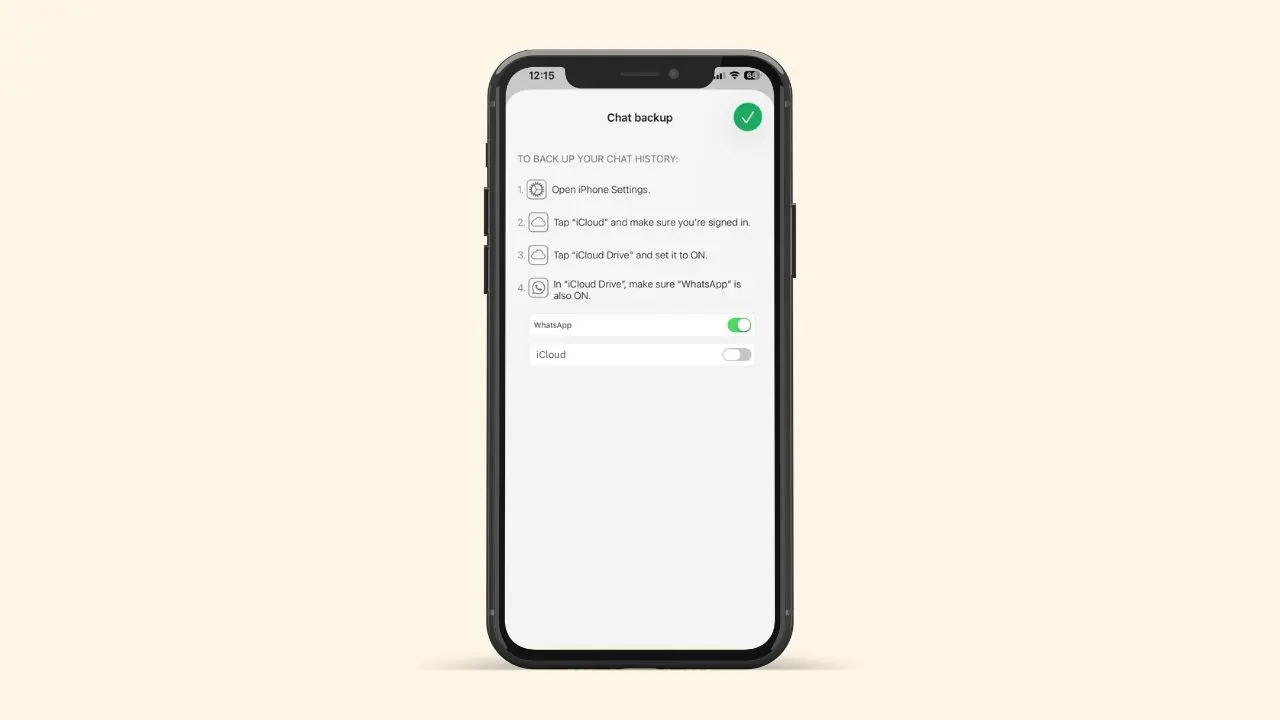
WhatsApp is developing its own backup storage on iOS. Right now, every iPhone user must use iCloud to save their chat history. Soon, that might change. A new WhatsApp beta test reveals a fresh backup option. Instead of relying on Apple, this new system stores your chats on WhatsApp’s own servers. If you’ve ever run out of iCloud space, this could be great news.
Where This News Comes From
Hints of this feature first showed up earlier this year, but only for Android. Now, testers have spotted the same idea inside a recent iOS beta version. Because the code lives inside a beta, nothing is final yet. Still, finding it on iOS is a strong sign. WhatsApp seems serious about bringing this option to iPhone users too.
What This New Backup Option Means
Right now, WhatsApp sends iPhone backups straight to iCloud. That works fine, until your storage runs low. Apple only gives 5 GB of free space to every user. Because of that, large WhatsApp backups can fill up your storage fast. As a result, many people pay Apple every month, just to keep their chats safe.
WhatsApp’s new backup option changes that. It gives you a second place to store your chats. So, you no longer have to depend only on iCloud.
Why Your iCloud Storage Fills Up So Fast
Photos, files, and other app backups already take up space on iCloud. On top of that, WhatsApp chats full of photos and videos add even more. Here’s a quick look at where your storage goes:
- Apple gives just 5 GB of free iCloud storage
- Photos and videos often take up the biggest chunk
- App backups, including WhatsApp, add extra weight
- Once you hit the limit, Apple asks you to pay for more space
Group chats packed with photos and videos tend to grow the fastest of all, and the updated group chat info screen makes that media pile-up easy to see at a glance. Many people never realize WhatsApp is a big reason their iCloud fills up so fast.
How the New Backup System Will Work
Soon, WhatsApp will let you choose your backup option right inside your chat settings. iCloud will still be the default choice. So, nothing changes unless you switch it yourself. Once you switch, WhatsApp gives you 2 GB of free storage on its own servers.
The switch itself should only take a few taps, no tech skills needed. WhatsApp has been steadily simplifying account controls lately, the same way it’s made it easier to reserve a WhatsApp username for your profile.
Even better, this move isn’t final. You can switch back to iCloud any time you want. So, there’s really no risk in giving it a try.
Your Backup Will Be Locked, No Matter What
Here’s a key detail. Right now, iCloud only locks your backup if you turn that setting on yourself. Many users never do. WhatsApp’s own service skips that step. Instead, your backup gets locked from day one. That’s called end-to-end encryption, and there’s no way to turn it off.
To keep your backup safe, WhatsApp wants you to use a passkey. Basically, a passkey is a saved key already stored on your phone. It stands in for a normal password. If you’d rather skip that, you don’t have to. You can still lock your backup with a plain password or a 64-digit code instead. Either way, no one else can open your backup. Not even Meta’s own team can peek inside.
What Extra Storage Will Cost You
Not everyone can fit their backup into 2 GB. Because of that, WhatsApp is also planning paid storage plans. These prices are still being tested, so they could shift before launch. Still, here’s what has leaked so far:
- 2 GB of free storage for every user
- A 50 GB plan for less than $1 a month
- A 1 TB plan for people with much bigger backups
These numbers line up with what Apple already charges for similar iCloud upgrades. So, the pricing shouldn’t feel like a big jump for most people.
What Happens to Your Old iCloud Backup
This part is still a bit unclear. Once you move to WhatsApp’s own service, your old iCloud backup might not vanish right away. If it stays put, you can remove it yourself. Some people may want to keep both backups for a while, just to be safe. Just open the Settings app, tap your name near the top, then choose iCloud. From there, you’ll spot WhatsApp in the app list. You can delete its backup by hand.
A Possible Bonus: Backups Across Different Phones
There’s one more possible bonus here. WhatsApp will run its own backup servers. Because of that, this could someday let people restore chats across other phone types. That means someone switching from iPhone to Android might keep their chat history intact. That would be a big change for anyone who switches phone brands often. Still, this feature isn’t a sure thing yet. It’s simply too early to say if it will make the final release.
Why This Update Is a Bigger Deal Than It Seems
Meta hasn’t always earned full trust with privacy. So, locking every backup by default is a smart move. It shows people their messages stay private, no matter what. Even users who never touch their settings still get full safety by default. Many people worry about how tech firms handle private data. That alone brings real peace of mind.
When Will iPhone Users Get This Feature
Right now, this backup option only exists in testing. It hasn’t reached public beta yet, and WhatsApp hasn’t shared a release date. Meanwhile, the same feature is also being built for Android. So, this change is coming to both platforms, not just the iPhone.
The Bottom Line
This update could solve a real headache for iPhone owners. No more juggling iCloud storage just to keep your chats safe. Better still, your backup stays private from the very first day, without you lifting a finger. Once WhatsApp rolls this out fully, backing up your chats might finally feel simple. For now, all we can do is wait and watch for the next update.