
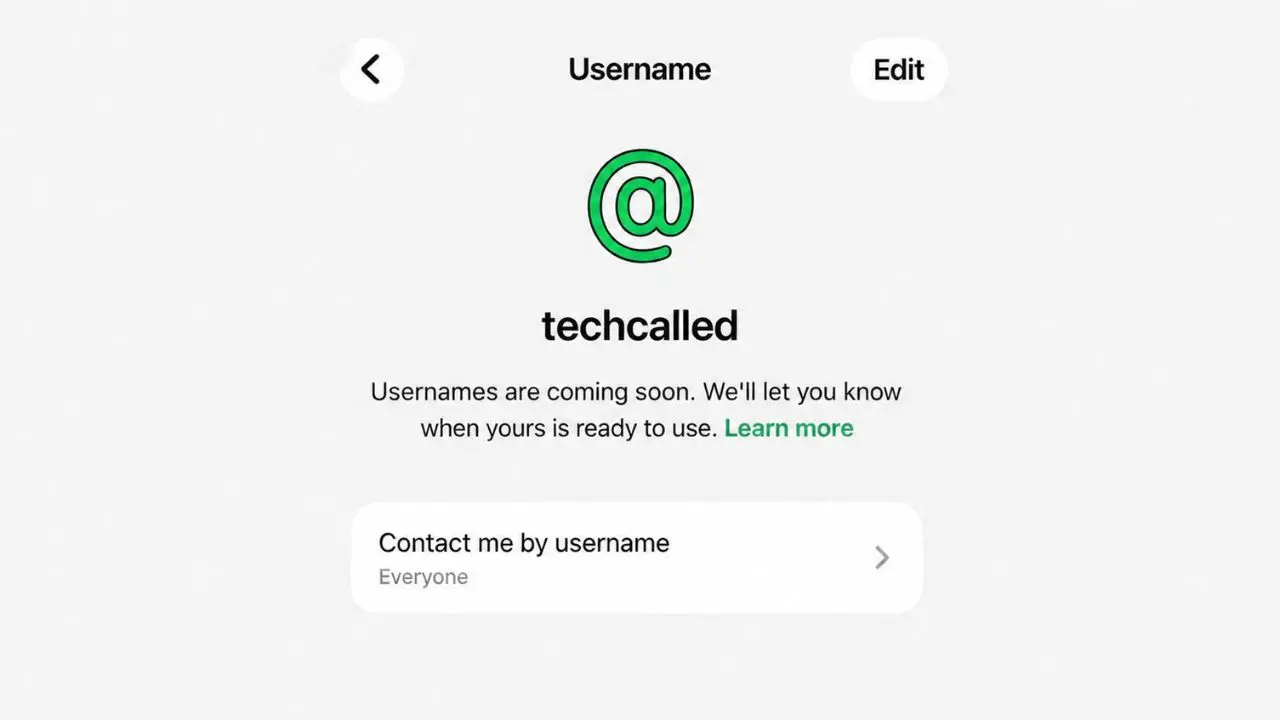
WhatsApp has a new update. You can now reserve a username early. This happens before the full feature goes live. Why does this matter? Once usernames launch, good names will go fast.
This rollout is already live on Android and iOS. If there’s a name you want, it’s smart to reserve a username before someone else grabs it first.
How to reserve your WhatsApp username
Getting a username is easy. WhatsApp built this right into the app. You don’t need to download anything extra.
Here is how it works:
- Open WhatsApp and go to Settings
- Tap on “Account“
- Look for the new “Username” option
- Type in the name you want
- Save it once it fits the rules
That’s all it takes. Your name is now yours. No one else can grab it while this early phase is still open.
Do you use the same name on Instagram or Facebook? Then you can link it through Meta’s Accounts Center. This step proves the account is really yours. But if you just want a name for WhatsApp, you can skip this part.
Why WhatsApp is doing this now
WhatsApp has more than three billion users. That is a lot of people. So a lot of names are bound to clash once the feature goes live for good.
WhatsApp seems to know this. That is why it opened an early window first. This way, fewer people will rush in at once later. It also gives early users a fair shot at the name they want.
In short, this step is about keeping things smooth and fair for everyone.
What changes once usernames go live
The biggest change here is privacy. Once usernames are fully live, you can message someone new without giving out your phone number. Your number stays hidden unless the other person had it stored on their end before.
This helps anyone who chats with strangers a lot, like new clients or online sellers. WhatsApp isn’t stopping at usernames, either. It’s also testing passkey device linking for Android to make logins even safer.
Also, this could cut down on random calls and spam texts. Fewer people will have your real number just from a chat.
Businesses get the same option too
WhatsApp did not stop with regular users. It also opened this feature to business partners. Companies can now reserve a username too. They can do this through WhatsApp Manager, Meta Business Suite, or the Username API.
Along with this, WhatsApp rolled out two more tools for businesses:
- Send to BSUID: lets a company message you using your username, not your phone number
- Phone Number Request button: lets a business ask for your number only when it is truly needed
Together, these tools should make chats with businesses feel smoother. You get to share less, and only when it makes sense.
Other WhatsApp updates worth knowing
Along with the username news, WhatsApp rolled out a few smaller updates this week too. The company is even testing an Android tablet as primary device, on top of a few other small but handy changes.
- A new Contacts tab is coming to iOS. It will show who is online or active
- The Updates tab is going away. Channels and status will move into the Chats tab instead
- iOS testers can now see a green dot on a contact’s photo when they are online
- iPad users can finally set their iPad as their main device, not just a companion screen
Each change points to the same goal. WhatsApp wants things to feel just as smooth when your iPad is your main WhatsApp device, not just a backup screen.
Should you reserve your username right now
If there is a name you really want, then yes, grab it today. Usernames work on a first come, first served basis. So waiting could mean losing that name to someone else.
Maybe you are not sure how you will use it yet. That is fine too. Claiming a name costs nothing. It also takes less than a minute. Once the full feature rolls out later this year, you will already be one step ahead of most people.
For now, just keep an eye on your app. WhatsApp tends to test new features in beta first. Then, over time, it rolls them out to everyone else.
Quick answers to common questions
Do I have to pay to reserve a username?
No. Reserving a username does not cost anything at all.
Do I need an Instagram or Facebook account to get one?
No. You only need to link those accounts if you want the exact same name you already use there. If you just want a name for WhatsApp, you can skip that step.
Will people see my phone number once I have a username?
No, not by default. Your number only shows up if it was already stored in the other person’s contacts. That is the whole point of this update. It adds a layer of privacy to your chats.
Can businesses reserve usernames too?
Yes. WhatsApp opened the same option to its Cloud API business partners. They can reserve a name through WhatsApp Manager, Meta Business Suite, or the Username API.
Does this only work on phones?
Right now, the update covers Android and iOS phones. WhatsApp is also testing a green dot for online status on iOS, so more changes could be on the way soon.
The bottom line
This update is a small step, but it points to a bigger shift. WhatsApp wants to move away from phone numbers as the only way to find people. Usernames give users more privacy and more control.
This is not the first time WhatsApp has changed how people connect. Over the years, the app has added disappearing messages, communities, and channels. Each update tends to push toward more privacy and more choice. Usernames simply continue that same pattern.
So if you have not picked your username yet, do it soon. It only takes a minute, and it could save you a headache later.